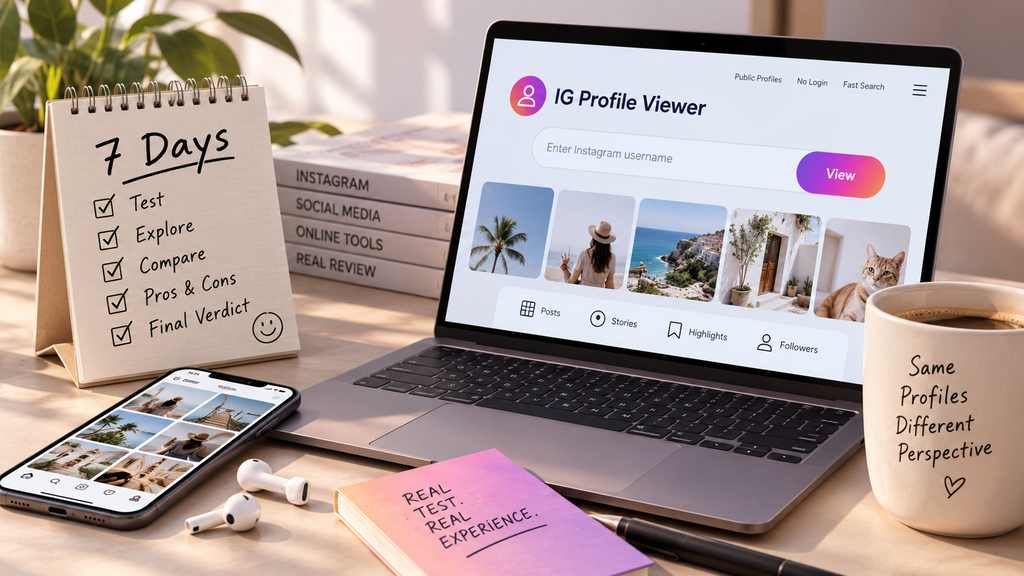
Most reviews in this category read like a quick once-over. Open the site, poke around for ten minutes, write up some thoughts. I wanted something closer to how people actually use these tools, which is occasionally, over time, not in one concentrated sitting. So I picked a free option and used it as my default way to check Instagram profiles for a full week. Here’s what living with an IG profile viewer free tool for seven straight days actually looked like, day by day, rather than summarized after the fact.
Day 1: First Search
The first test was simple on purpose. I searched a public account I already knew well, mostly to see if the basics worked before trying anything trickier. Results loaded in a few seconds, posts and bio showed up cleanly, no login requested anywhere in the process. That first search set the tone for the rest of the week better than I expected it to.
The layout felt a little busier than I expected going in, an ad banner sat above the results, and a second one showed up partway down the page. Not aggressive, but definitely present. For a first impression, functional and honest about what it is: a free IG profile viewer earning its keep through ads rather than a subscription. I’d rather see that upfront than discover it three clicks in.
Day 2: Testing the Edges
Day two was about finding where things break. I tried a username that didn’t exist, expecting either an error or a blank result. Got a clear message instead, no account found, which is a small thing but matters more than it sounds. Plenty of tools in this category just hang or show a confusing empty page instead of telling you plainly what happened. Testing an IG profile viewer free tool against these edge cases tells you far more about its actual quality than a straightforward, successful search ever does.
I also tried an account I knew had restricted its visibility, mostly to confirm the obvious. No surprises there. The tool couldn’t pull anything beyond a basic profile photo and username, exactly what should happen given how Instagram’s own privacy settings work. Anyone hoping a free option might sneak past that wall was always going to be disappointed, and this one didn’t pretend otherwise.
Day 3: The Ad Question
By day three, the ad situation started to genuinely register as part of the experience rather than background noise. Not overwhelming, but present on every single search. I counted three ad placements across a typical result page. Nothing blocked the actual content, but it added up over repeated use in a way it hadn’t on day one.
This is probably the most honest thing to say about an IG profile viewer free tool at this stage of testing: the ads are the price of admission, and whether that price feels reasonable depends entirely on how often you’re actually using the thing. For a once-a-week lookup, barely noticeable. For daily use, it starts to wear. By the end of day three, I’d stopped consciously noticing individual ads and started just registering the overall page as slightly heavier than it needed to be.
Day 4: Comparing Against the App
I ran the same handful of profile checks through the actual Instagram app and through the viewer side by side, mostly out of curiosity about which felt faster. The viewer won on raw speed for a single lookup, no app to open, no feed to scroll past first. But the app pulled ahead the moment I wanted to interact with anything, liking, commenting, following. That’s an obvious limitation, but living with it for a few days made the tradeoff more concrete than it sounds in theory.
An IG profile viewer free option is genuinely built for looking, not touching. Once that framing clicked, a lot of my earlier expectations recalibrated automatically. I stopped reaching for it when I actually wanted to engage with something, and started reaching for it specifically when a quick, no-commitment look was all I needed.
Day 5: Mobile Testing
I’d been using this mostly on a laptop through the first four days, so day five was dedicated entirely to testing it on my phone. The experience held up reasonably well, though smaller text made scanning bios a little more effort than on a bigger screen. Ad placement felt slightly more intrusive on mobile too, taking up proportionally more of a smaller screen.
Nothing broke outright, but it was a clear reminder that plenty of tools in this category were designed with a desktop user in mind first, mobile second. If mobile is genuinely where most of your browsing happens, that gap is worth factoring into which specific tool you settle on. I found myself instinctively reaching for my laptop for anything beyond a quick single lookup after this test, which says something on its own about where the experience currently stands.
Day 6: A Genuine Surprise
Six days in, I stumbled onto something I hadn’t expected: the tool handled a profile with an unusually large post history noticeably faster than I anticipated. Given how ad-heavy and occasionally sluggish free tools in this category can be, watching a few hundred posts load without a meaningful delay was a pleasant surprise worth noting on its own. It’s the kind of detail a quick, single-visit review would never catch, since it only showed up after several days of repeated, varied use.
Day 7: Settling Into a Verdict
By the last day, the pattern was clear enough to actually trust. This particular IG profile viewer free tool does the core job reliably: fast lookups, honest error handling, no login required, no attempt to reach beyond what’s technically possible. The ads are a real cost, more noticeable with repeated use than a single visit would suggest, but not disqualifying. Seven days changed my view less than I expected going in, mostly because the tool behaved consistently the whole way through rather than revealing some hidden flaw only visible after extended use.
A Week in Numbers
| Day | Focus | Takeaway |
| 1 | Basic functionality | Worked cleanly, ads present from the start |
| 2 | Edge cases | Handled errors and restricted accounts honestly |
| 3 | Ad tolerance | Noticeable with repeat use, not overwhelming |
| 4 | Comparison to the app | Faster for looking, no substitute for interacting |
| 5 | Mobile experience | Functional, clearly desktop-first in design |
| 6 | Heavier profile | Loaded a large post history faster than expected |
| 7 | Overall pattern | Reliable, honest about its limits |
Final Take
A week is long enough to notice things a quick test never would, how the ads feel on the tenth visit rather than the first, whether performance holds up on a heavier profile, how the experience shifts between desktop and mobile. Across all of it, this IG profile viewer free tool held up about as well as a modest, honest free tool reasonably can. It never promised more than public browsing, and it delivered exactly that, week after week, without the experience degrading or the claims creeping upward the longer I used it.
If there’s a single takeaway worth carrying into how you evaluate any IG profile viewer free option yourself, it’s this: judge it on the tenth use, not the first. For comparison, an Instagram profile viewer such as Peekviewer offers another way to browse available profile content without using your own Instagram login. Its features and access conditions may differ from those of a free tool. The first search tells you almost nothing about ad fatigue, mobile quirks, or how the tool handles an unusual profile. Seven days told me considerably more than ten minutes ever could have.